On by default
Kill Switch
If the proxy fails, supported new browser requests are blocked instead of switching to a direct connection. You can turn it off in Privacy.
See it in actionFirst Purchase Discount Code! Get 30% Off On Your First Time Purchase
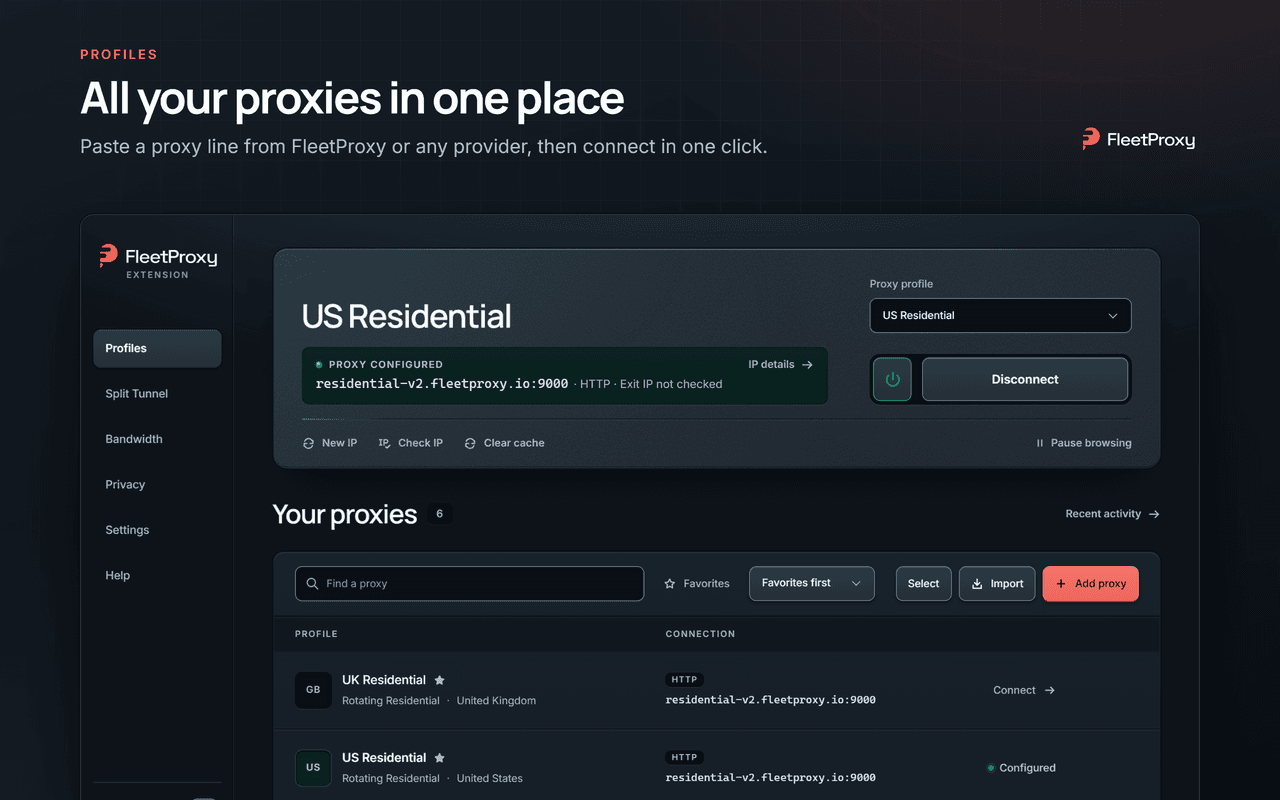
Paste a proxy, connect and switch from your toolbar. Use FleetProxy or any other proxy provider.
For Chrome & Brave on desktop. No account needed.
Add the extension from the Chrome Web Store, then pin it to your toolbar.
Copy a proxy line from your provider. The extension fills in the connection details.
Choose a saved proxy and connect. Use Check IP to see the address websites receive.
Quick controls in the toolbar. Room for your full setup in the manager.
If the proxy fails, supported new browser requests are blocked instead of switching to a direct connection. You can turn it off in Privacy.
See it in actionChoose a proxy for each website. Keep selected sites on your normal connection, and use a default proxy for everything else.
See how rules workChange a supported session ID in one click, or restore the previous one. Available for compatible sticky-session logins.
Import in bulk, group your profiles and save favorites. Import proxy profiles from FoxyProxy or ZeroOmega / SwitchyOmega.
Block images, video or fonts with Bandwidth saver. See an estimate of the data saved.
Check your exit IP and network details. Run an identity check when you want to compare your browser and proxy settings.
Watch the full walkthrough
No account or analytics. Your saved profiles stay in this browser. IP checks contact external services only when you start them.
Read the extension privacy policyFree to install No account Your choice of provider
Need a hand? Contact FleetProxy or explore our setup guides.
Power Your Projects with the Industry's Leading Proxies
Instant activation, a powerful dashboard, and 24/7 expert support are just one click away.


Scale Up Your Business with Fleet Team
Custom volume pricing and 24/7 expert support.
Proxies
© 2026 FleetProxy Enterprise - FZCO, United Arab Emirates. All rights reserved.


